
Multiple accounts
Xtream server (username and password) or M3U playlist from a URL or file. Save several and switch between them instantly.
Rupnar IPTV is a free player for Windows and Android. Add your Xtream server or M3U playlist and enjoy live TV with a programme guide, movies and series, with everything in its place.
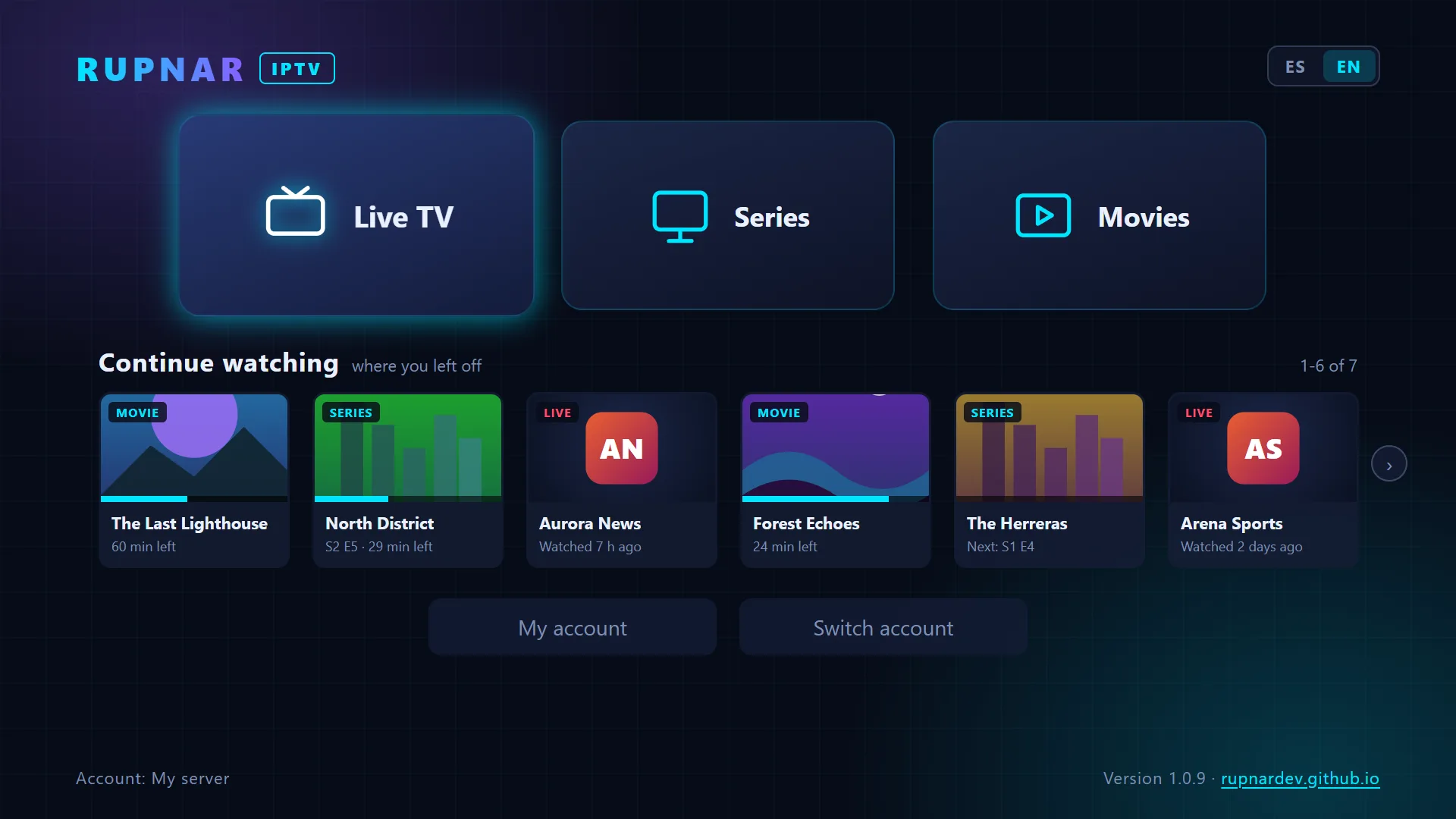
On PC, with a mouse or the keyboard alone; on phones and tablets, with a touch interface.
Xtream server (username and password) or M3U playlist from a URL or file. Save several and switch between them instantly.
Watch a channel in a small window next to its programme guide, then go full size without interruption. Reconnects automatically if the signal drops.
Posters, full details, season picker and automatic playback of the next episode.
Pick up movies, episodes and channels right where you left off, straight from the menu.
Mark favourites, search within each category and hide the categories you don't care about.
Choose the audio and subtitle language; the app remembers your preference for the next videos.
Playback speed, picture-in-picture, full screen, "Go to live" and, on PC, keyboard shortcuts.
Also plays video and audio that browsers can't handle (AVI, MPEG-2, Dolby…), automatically.
Your login details are stored encrypted on your device. No accounts, no tracking. Updates itself.
Screenshots of the Windows version. Tap an image to see it full size.
Screenshots show made-up demo content (names, posters and logos with no real brands).
Sample video: Big Buck Bunny and Elephants Dream © Blender Foundation, CC BY.
For Windows PCs and for Android phones and tablets. After that, it updates itself.
Phones and tablets with Android 7.0 or later · Free
Installs and updates through Google Play.
The first time, Windows may show "Windows protected your PC". This is normal: the installer doesn't have a paid digital signature yet, so Windows doesn't recognise it yet. To install:
If your browser says the file "isn't commonly downloaded", choose ··· → Keep. Only download it from this website or from the official repository.
The same features on every screen.
Windows 10 and 11.
Samsung Smart TV (Tizen), with your remote control.
TVs and streaming boxes with Android TV / Google TV.
The app is and will remain free, with no ads. If you find it useful and want to help bring it to more platforms, you can buy me a coffee. It's entirely voluntary.
Buy me a coffee Donations don't unlock any content or extra features: every feature is for everyone.Rupnar IPTV is only a player. It does not include, host, sell or distribute any channels, movies, series, playlists or other content, and it is not affiliated with any IPTV provider.
Everything loaded in the app (channels, categories, movies, series and images) comes from a third-party IPTV playlist or service whose login details you enter yourself.
Rupnar IPTV is not responsible for the content of that playlist, its availability or its legality. Only use playlists and services you are legally entitled to access.
To play some formats, the Windows version uses FFmpeg under the LGPL licence; its licence is included in the installation folder.
No. Rupnar IPTV is only a player: you need your own IPTV service (Xtream server or M3U playlist) provided by a third party.
Your service's login details: the server URL with your username and password (Xtream), or the address or file of your M3U playlist.
Yes, completely: no ads, no subscriptions and no paid features. Donations are voluntary.
Only on your device, encrypted: on Windows, with the operating system's own protection; on Android, with Android Keystore. They are never sent anywhere except the IPTV server you specify. More details in the privacy policy.
Because the installer isn't digitally signed yet. Click "More info" and then "Run anyway". See the installation steps.
On its own. On Windows, it checks for a new version when it opens and installs it automatically; on Android, it updates through Google Play.
Samsung TV and Android TV / Google TV versions are on the way. The Google Play version is for phones and tablets.